PRODUCT DESIGN · UX/UI · FRONT-END · AI
UXSignal
AI-assisted UX research with traceable evidence and human review.
I designed and developed a product that turns interviews and notes into structured findings, showing sources, contradictions and confidence level before they are added to a report.
Context
The problem
In small teams, Product Designers and UX Researchers often review interviews manually: reading transcripts, finding patterns, selecting quotes, detecting contradictions and preparing reports. This takes time and can break the relationship between a conclusion and the evidence behind it.
The challenge was not simply to generate AI summaries. It was to design a tool that could speed up synthesis without turning analysis into a black box.
Objective
The product objective
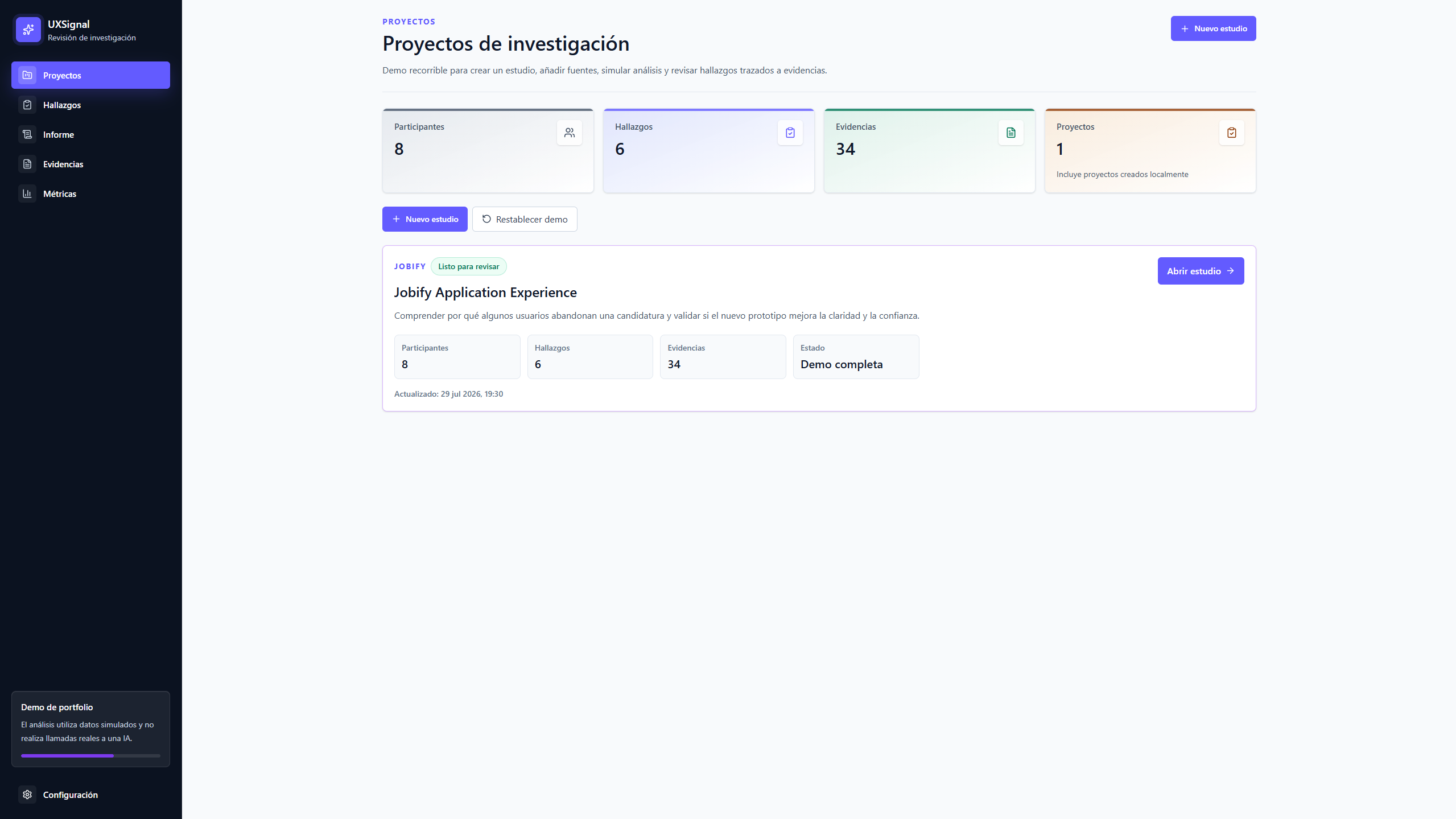
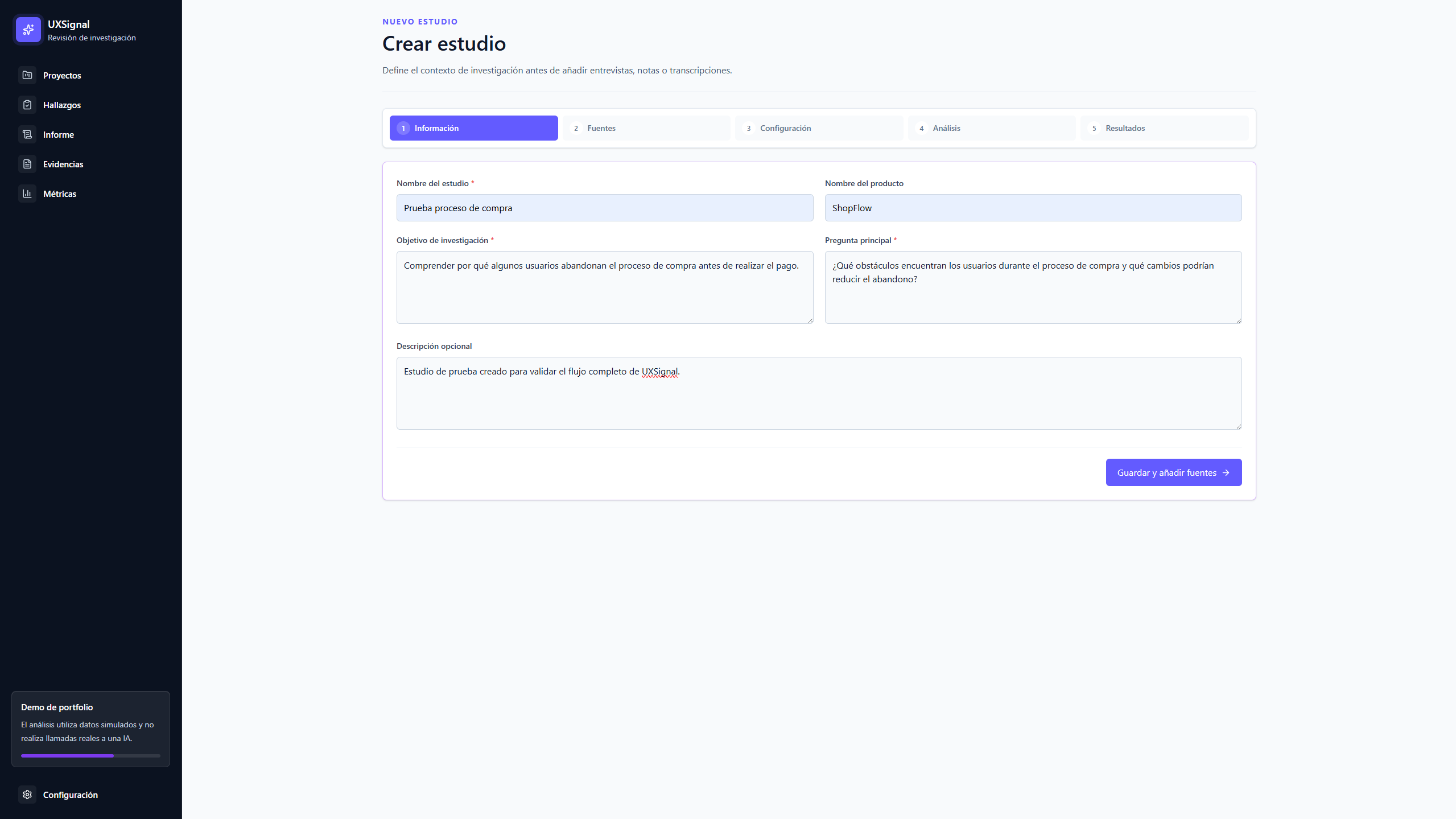
Design a complete flow to create a study, add sources, configure an analysis, review findings and prepare a final report. AI should act as an assistant, while the final decision always stays with the researcher.
- Create and edit studies.
- Add interviews, notes and transcripts.
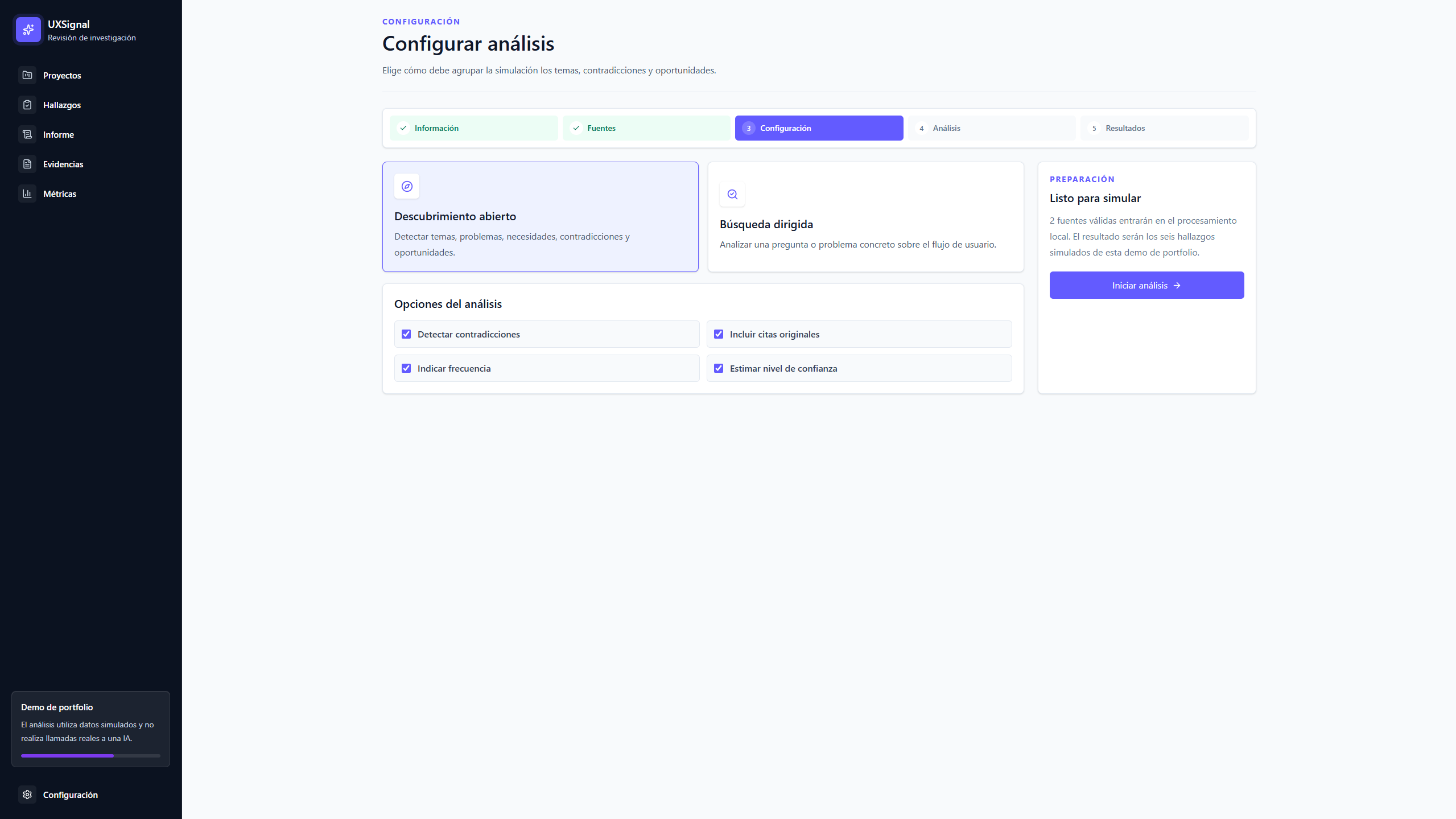
- Configure the analysis type.
- Review findings and contradictions.
- Consult original evidence.
- Build an editable report.
Flow
An end-to-end flow
- Create study
- Add sources
- Configure analysis
- Processing
- Review findings
- Consult evidence
- Build report
Design decisions
Designing trust around AI
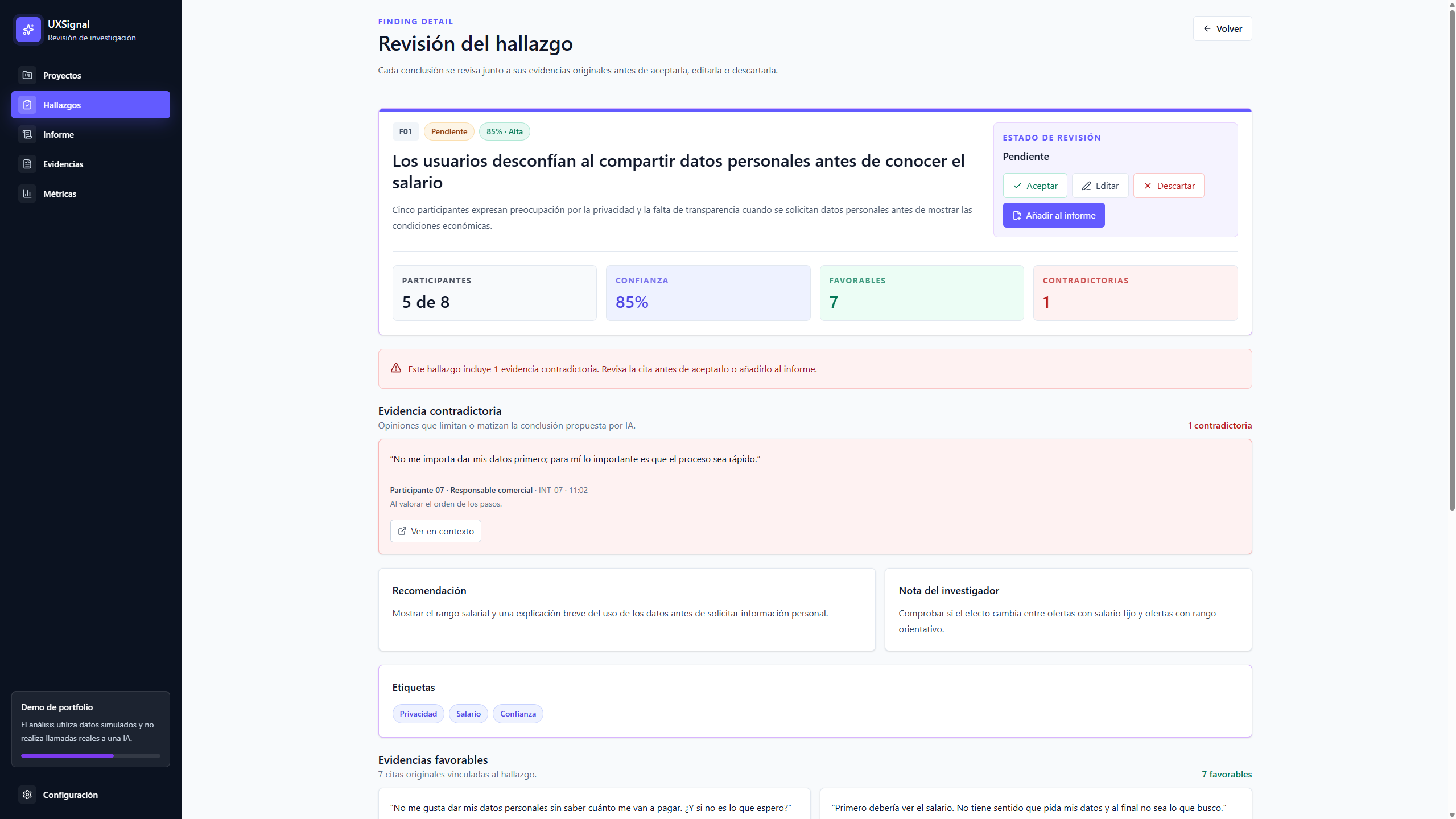
Traceable findings
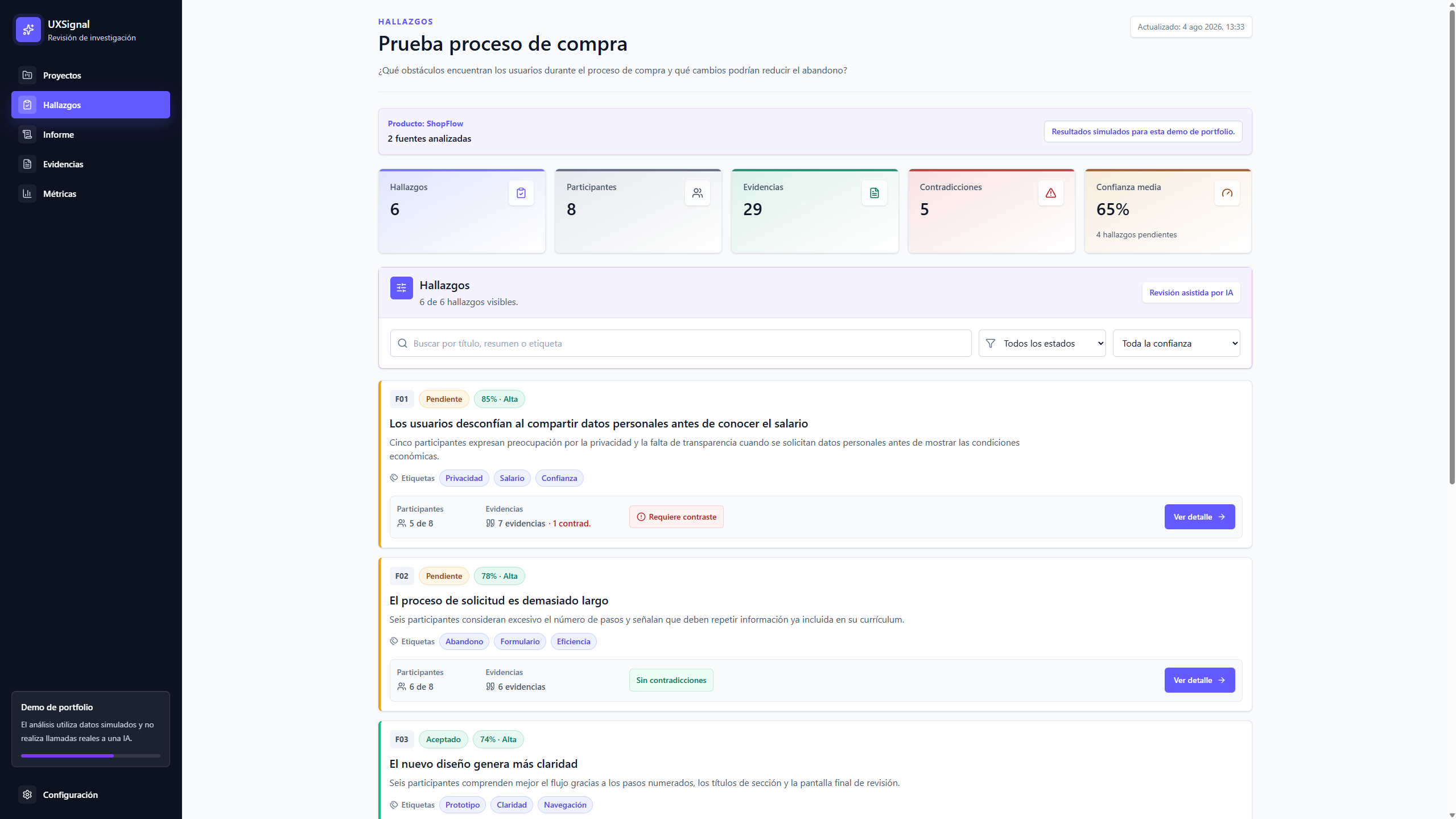
Each conclusion shows participants, supporting evidence, contradictions, confidence and related sources. The user can understand where the result comes from.
Visible human review
Findings can be accepted, edited, discarded, reopened or added to the report. AI proposes; the researcher decides.
Explicit contradictions
Opinions that limit a conclusion are not hidden. They use a specific visual hierarchy to avoid overly certain interpretations.
Understandable confidence
The product combines a percentage with a qualitative label to help assess how solid each finding is.
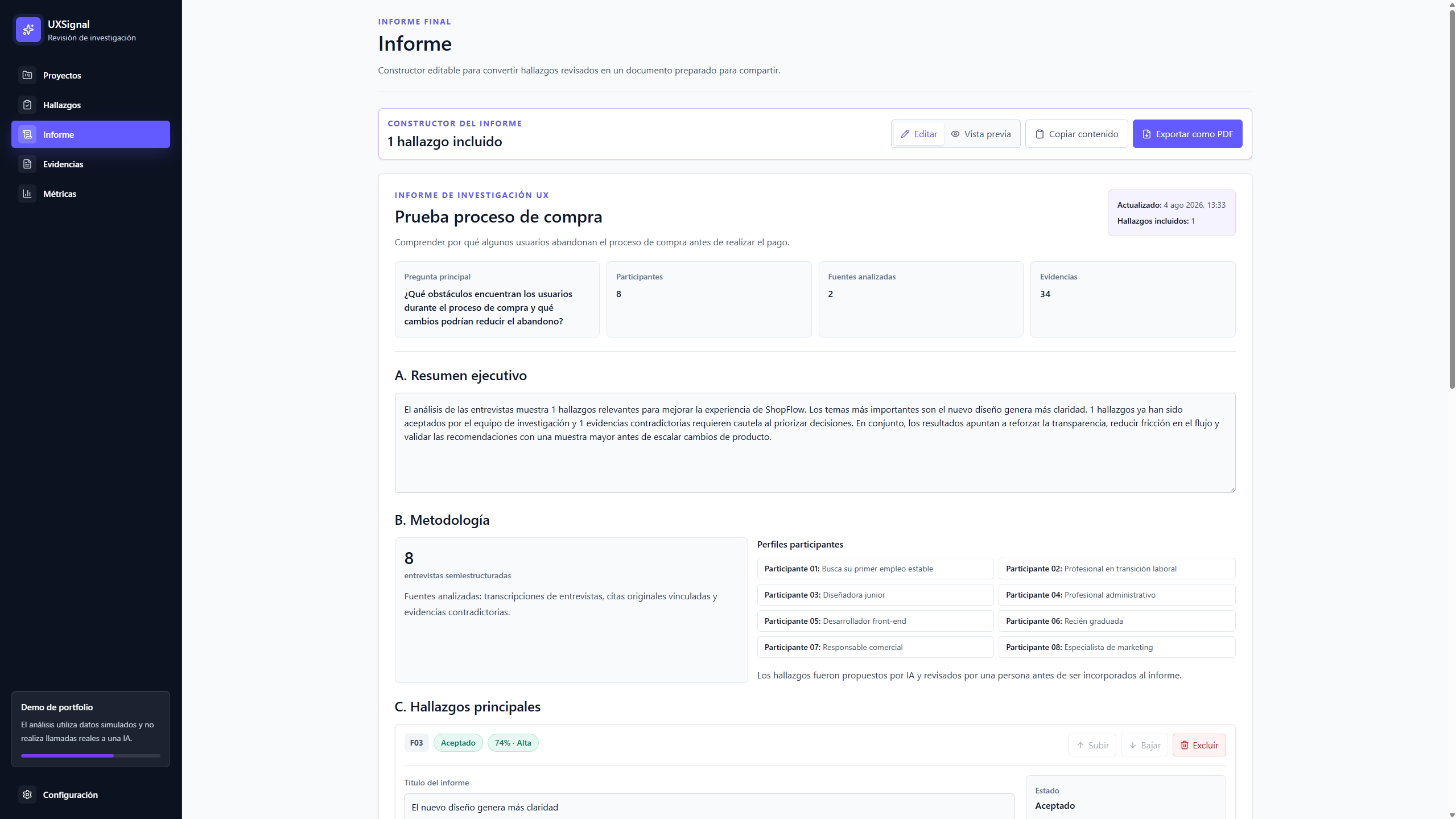
Report
From reviewed findings to an editable report
Accepted findings can be added to a report without modifying the original source. The researcher keeps control over the executive summary, methodology, order, recommendations and export.
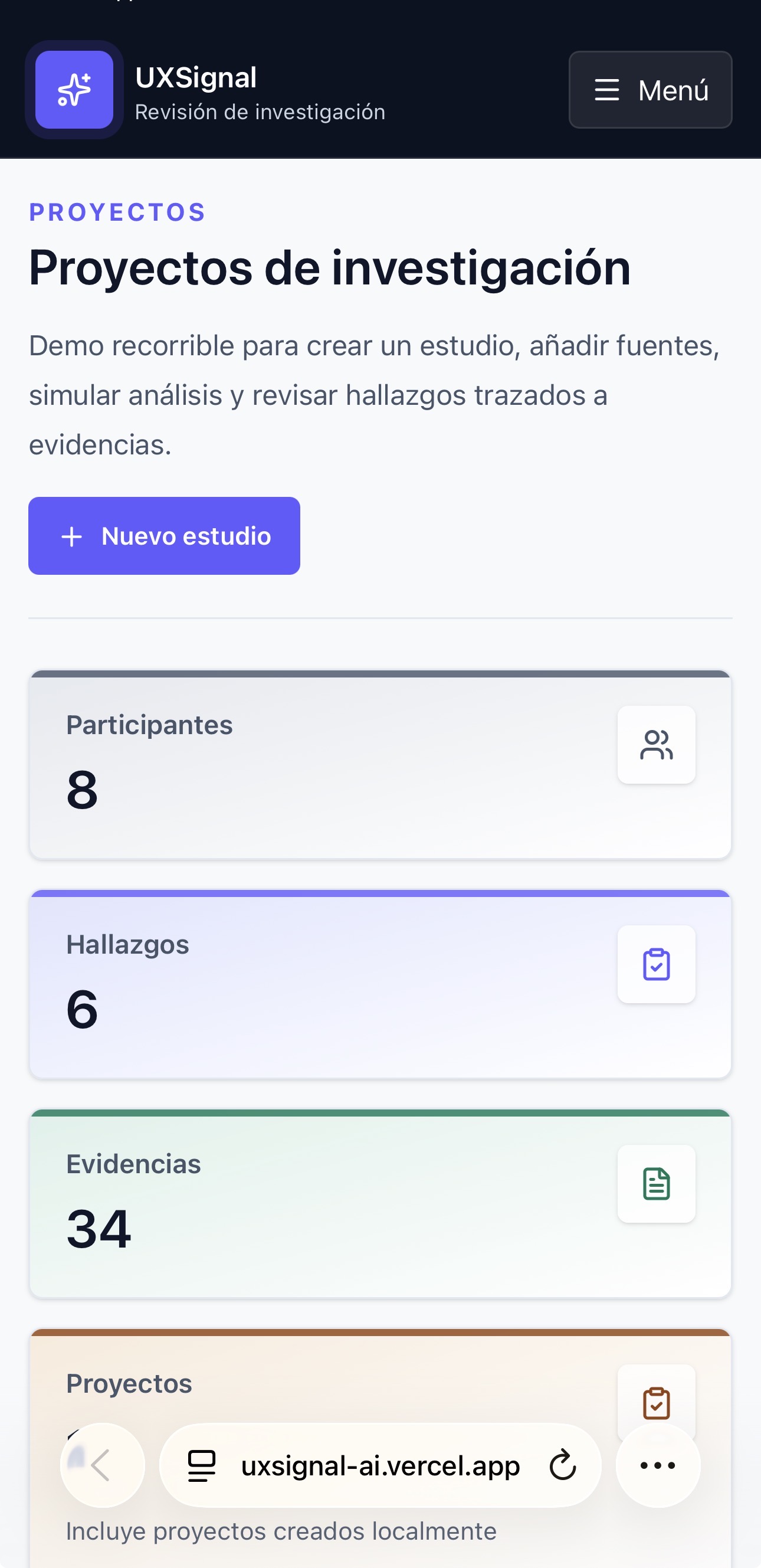
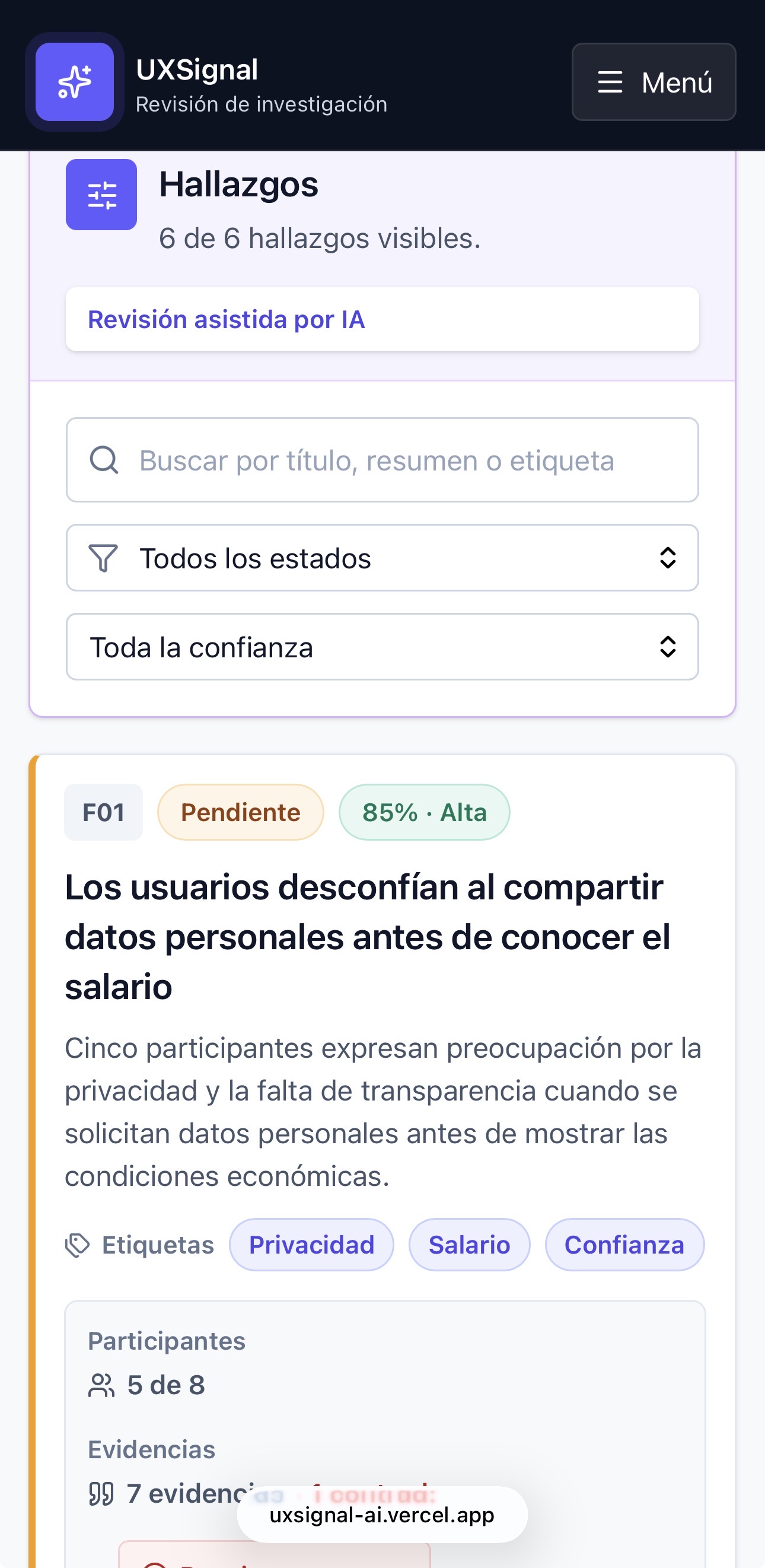
Responsive
An adaptable experience
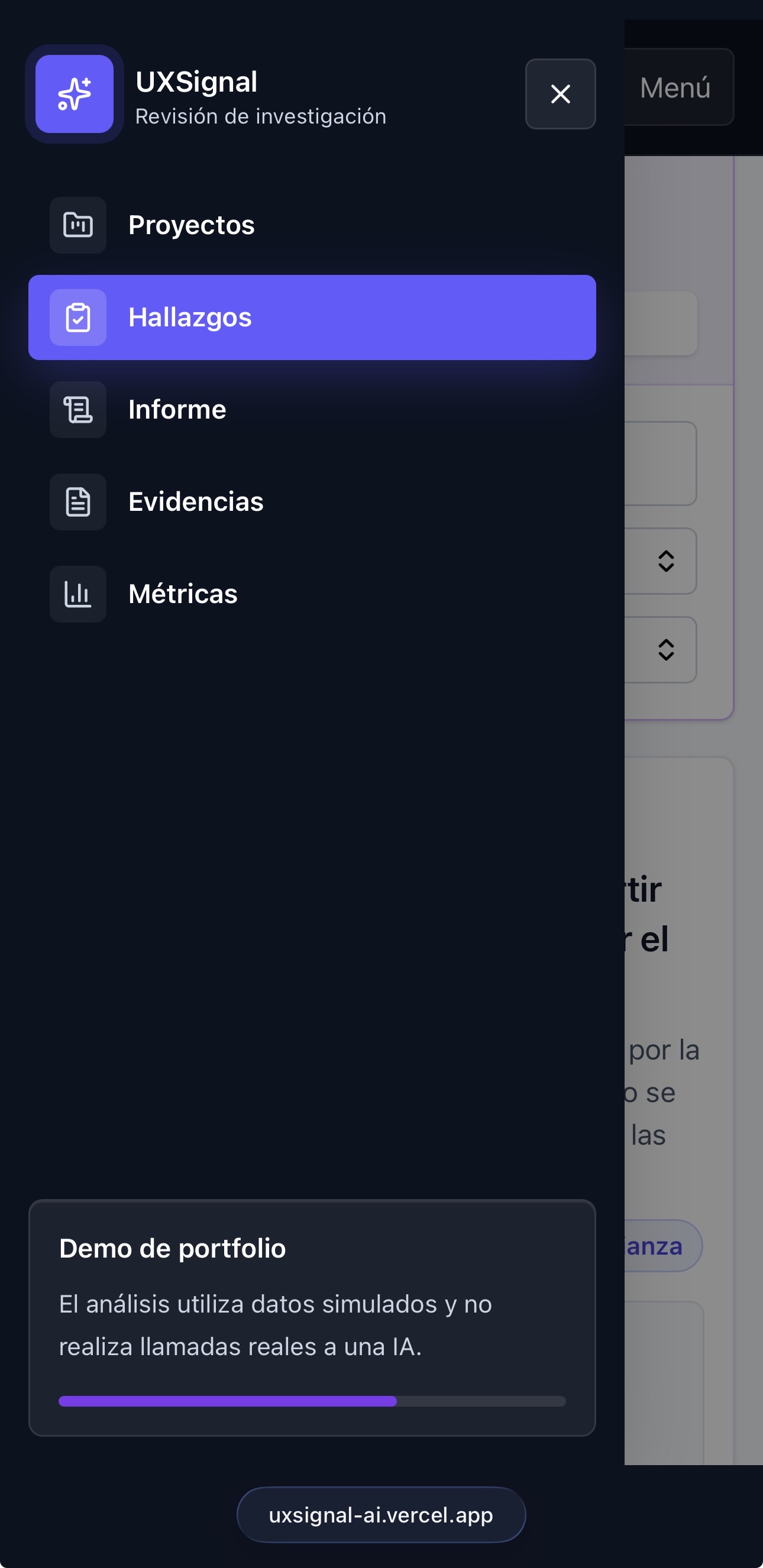
The interface adapts to small screens through stacked cards, vertical filters and an accessible side menu. The goal was to preserve visual hierarchy and primary actions without literally transferring the desktop layout.
Development
Design and development of the MVP
Beyond designing the product, I implemented the complete flow and state system. Each study keeps its sources, findings, decisions, evidence, metrics and report independently.
Next.jsReactTypeScriptTailwind CSSReact ContextlocalStorageGitHubVercel
- Project dashboard.
- Study creation and editing.
- Source management and validation.
- Analysis configuration.
- Simulated processing.
- Dynamic findings per study.
- Evidence and metrics.
- Report builder.
- Local persistence.
- Responsive design.
Limitations
Transparency about the scope
UXSignal is a portfolio MVP. The current version uses simulated data and results to demonstrate the complete product flow. It does not make real AI calls and does not include a backend, authentication or real-time collaboration.
Explore the product